Three Orbits,
Eight Cascades
Circle the house three times, top to bottom for the setting, then climb its faces eight times for the close-up detail. Orbits sell the neighborhood; cascades build the house.
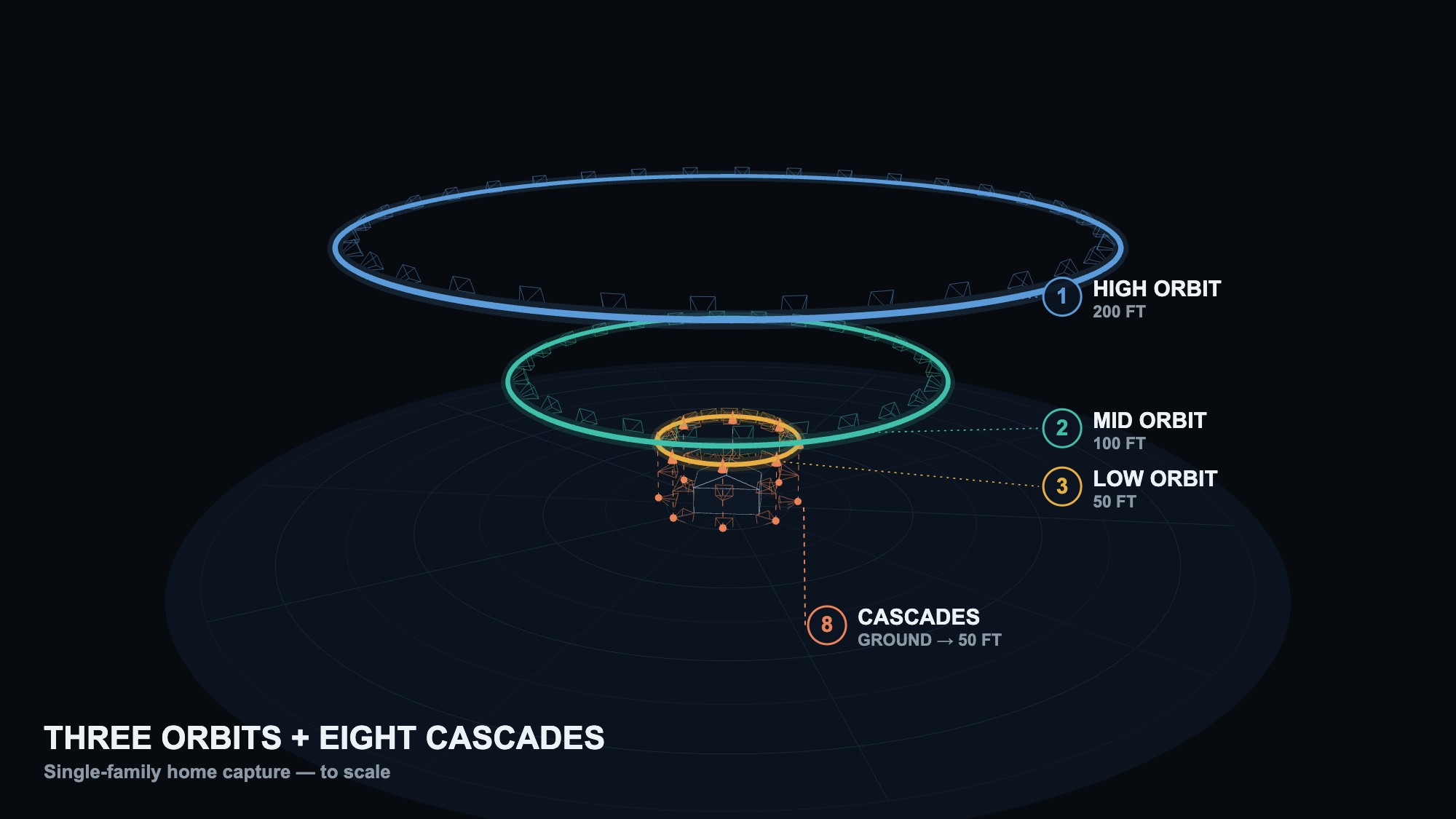
The standard mission, to scale — every pyramid is a camera position. Three orbits step down the ladder, each tighter than the last; eight cascades climb the faces and corners of the house from a few feet up to just below the low orbit.
Everything on this page exists to build one thing: a Gaussian splat — a photoreal 3D model of the home and its street that a buyer can fly through on Homes.com, the same way you can fly this mission in 3D. Your photos are never the product; they're the raw material. Software compares hundreds of overlapping frames, works out where every surface sits in space, and rebuilds the scene — which means the model can only show what your camera saw.
−18 to −24° 100FT The neighborhood Same composition, ~100 ft closer — the immediate streets fill the frame 100–200 ft out
−15 to −21° 50FT The house In tight, just outside the roofline — sliver of sky, house in the bottom half cascade diameter
−22 to −28° ×8 The cascades Four faces + four corners — rise from ~3 ft up to just below the low orbit ~30 ft off the house
+10 → −35°
Fly the ladder top-down — 200, 100, 50 ft — then work the cascades around the house in one lap. Shoot on a steady interval through every movement; pause the camera while you reposition. Set the POI on the high orbit and keep it: the gimbal holds the composition for you all the way down. The reference photos on this page come from a taller version of the ladder flown over a large site — the frame checks are exactly the same.
The gimbal does two jobs: framing the story and feeding the splat. The model needs the house and its ground seen from many different angles — shallow on the high orbits, steep down low, and a continuous sweep on every cascade. Set the angle by the frame, not the number.
MATRICE 4
- SHUTTERShutter priority (S) · 1/1000 or faster
- EXPOSURE + FOCUSEV −0.7 · ISO auto · AFS focus
- FILE4:3 · JPEG · landscape only
- CAPTUREInterval shooting: Photo → Timed → 0.7 s — start it as each orbit or cascade begins
MAVIC
- PRO MODE1/1000 or faster · f/5.6 · ISO auto · AF focus
- EXPOSUREEV −0.7 (0.0 overcast) · overexposure indicator ON
- FILEJPEG · 4:3 on Mavic 3, 3:2 on Mavic 4 · 6000K · landscape only
- CAPTUREManual shutter every ~2 s, or the auto timer set to 2 s
200 FTThe community
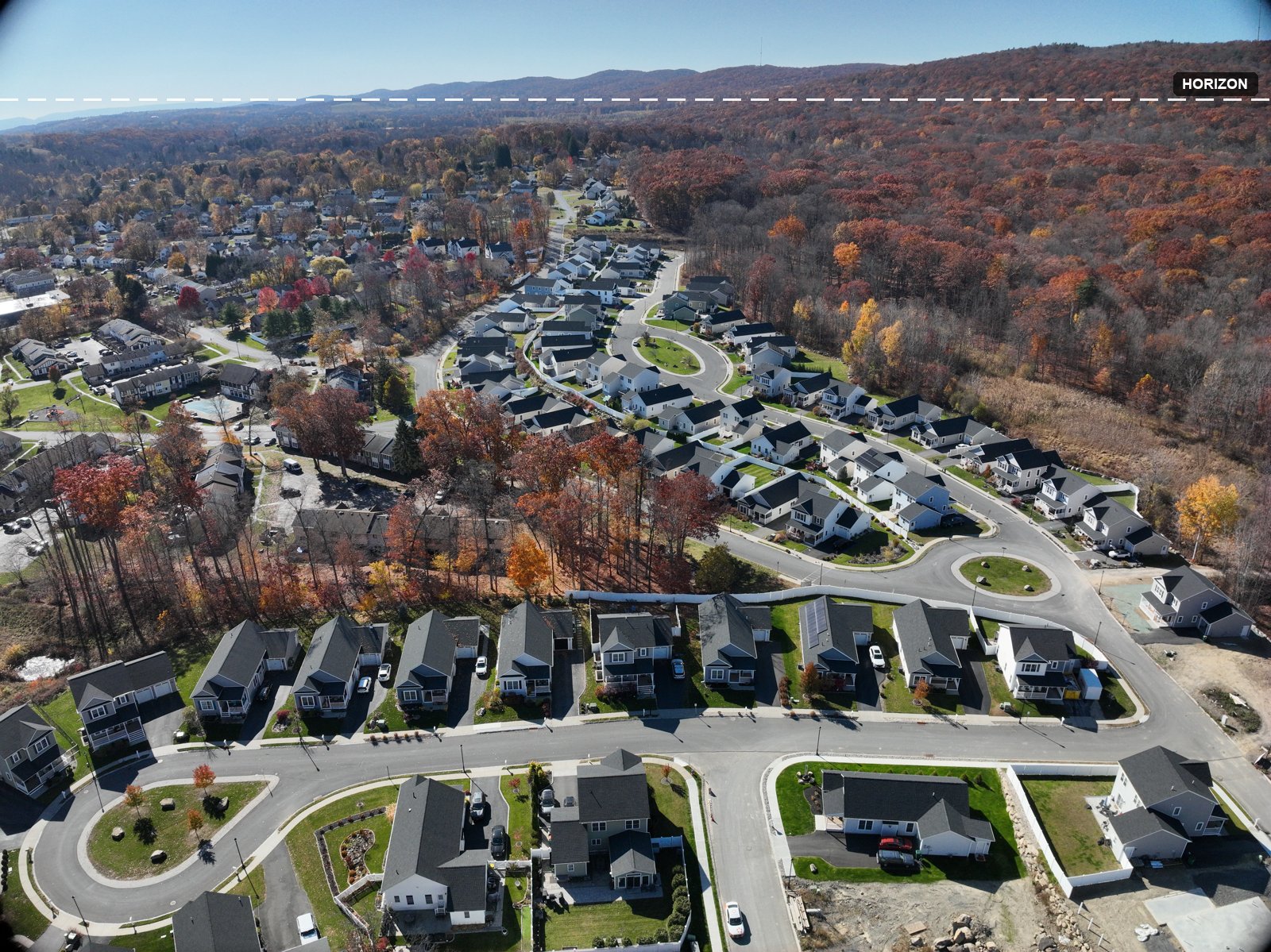
The context layer. Fly the widest, highest circle of the mission and let the setting do the talking — the subject house stays small while the neighborhood, terrain and skyline anchor the model's edges.
100 FTThe neighborhood
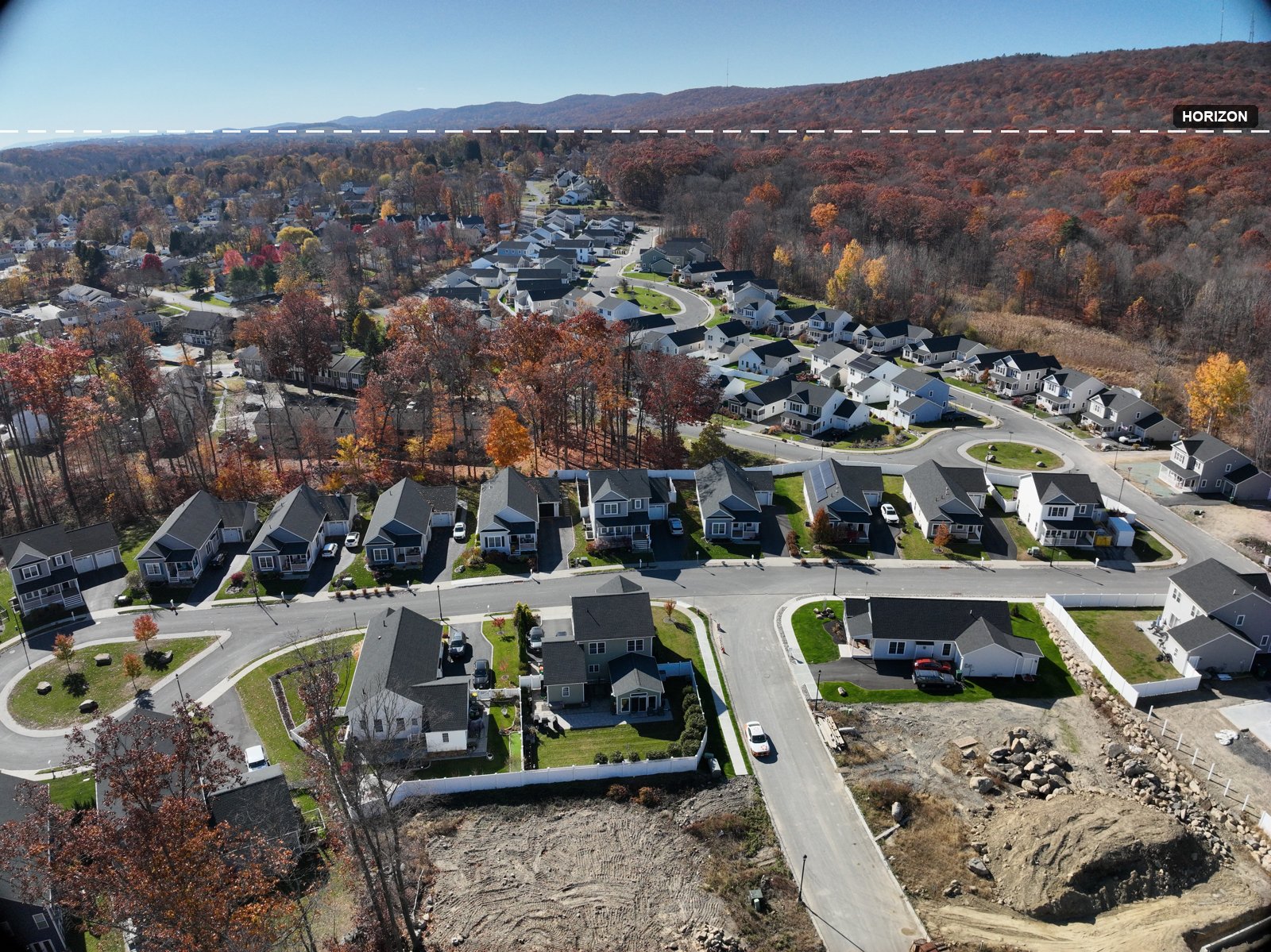
One step down the ladder and about a hundred feet closer, with the same composition — keep the POI from the high orbit and the gimbal follows on its own. The house grows in frame while the sky band holds; this orbit places the home on its street and feeds the mid-distance detail between house and horizon.
50 FTThe house
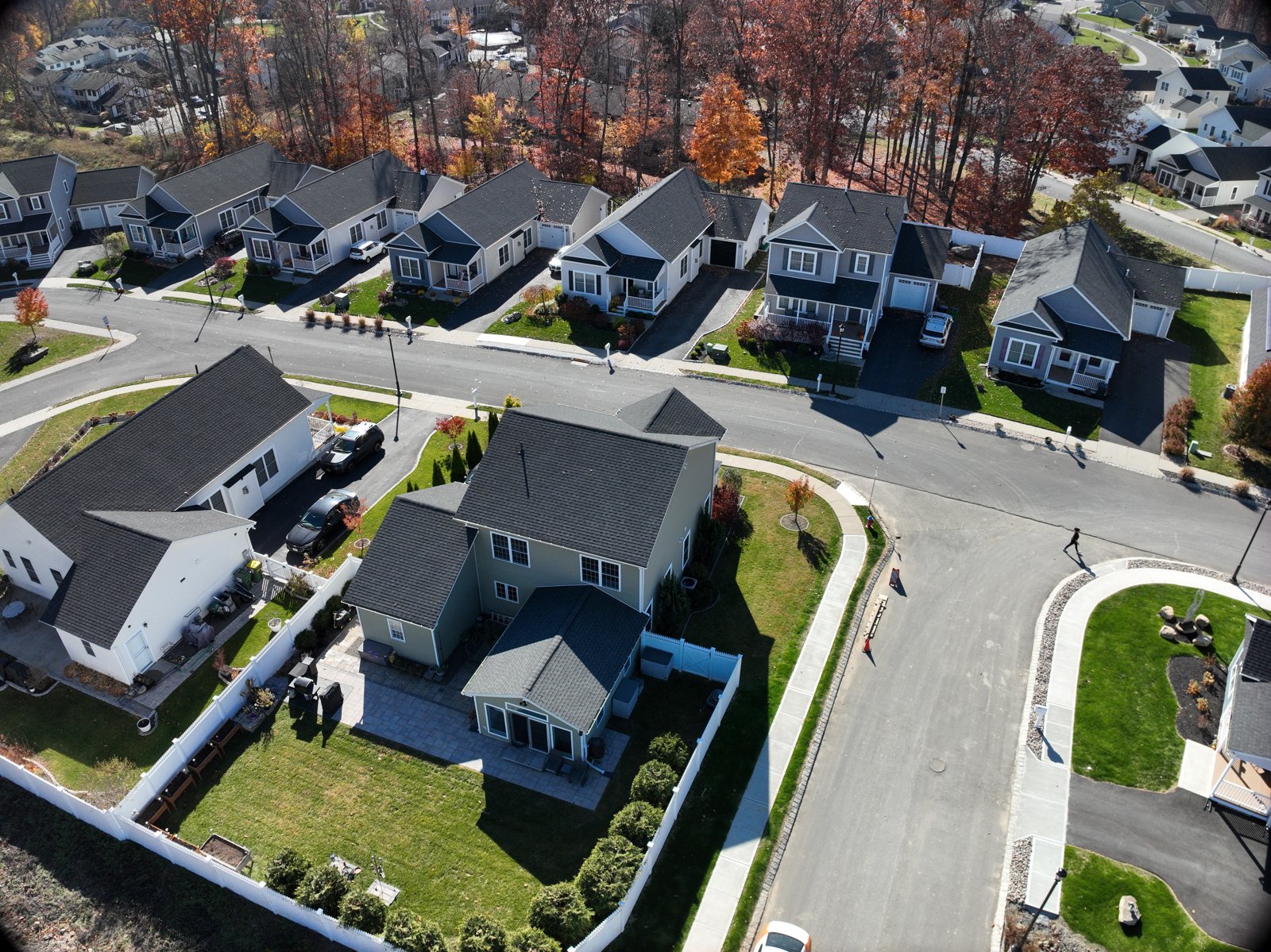
In tight, just outside the roofline, at the same diameter as the cascades — stand where a cascade will be and the orbit passes right above your head. Roof and sides in every frame; this circle is the bridge between the big orbits above and the cascades below.
×8The house, face by face
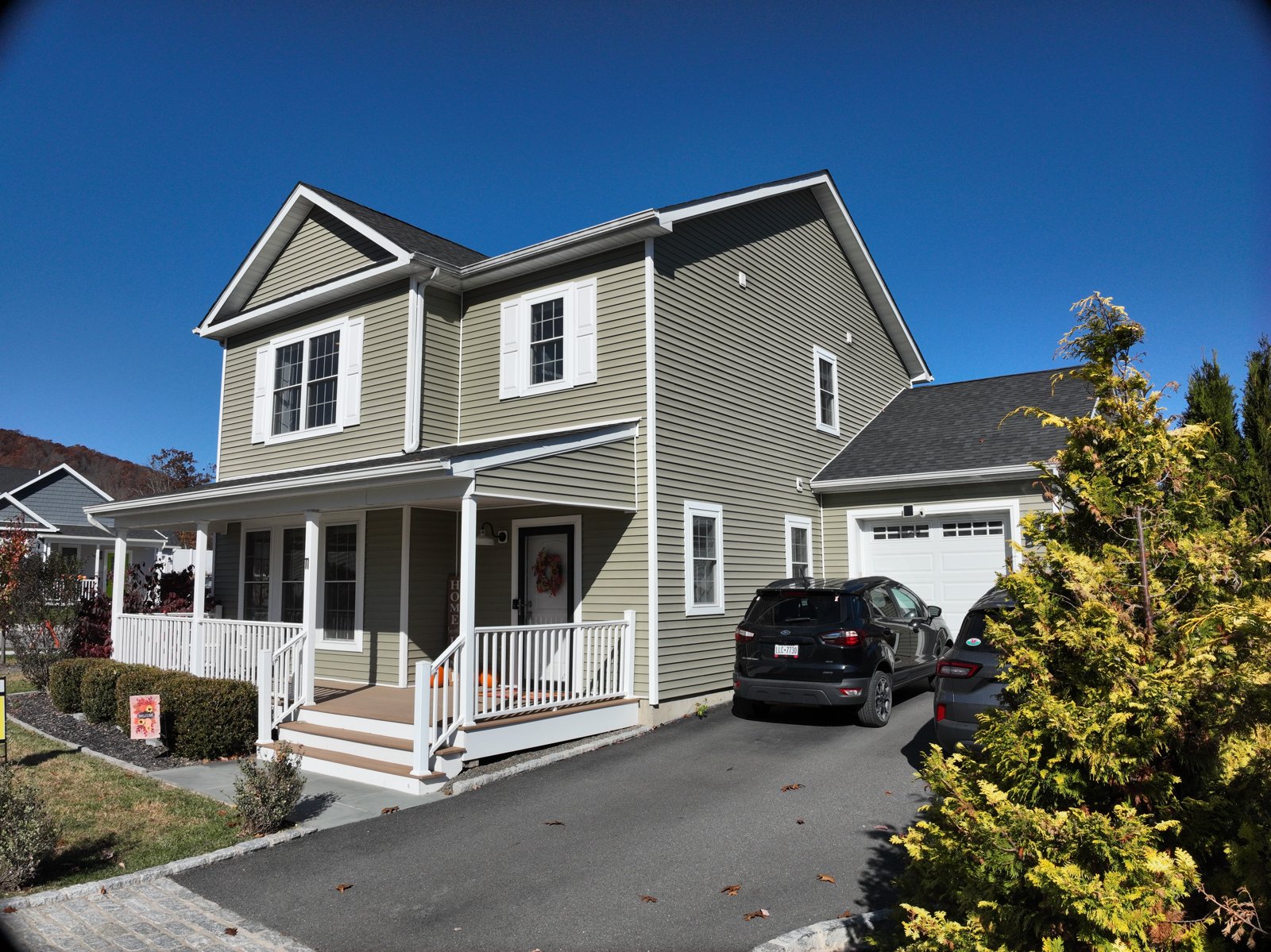
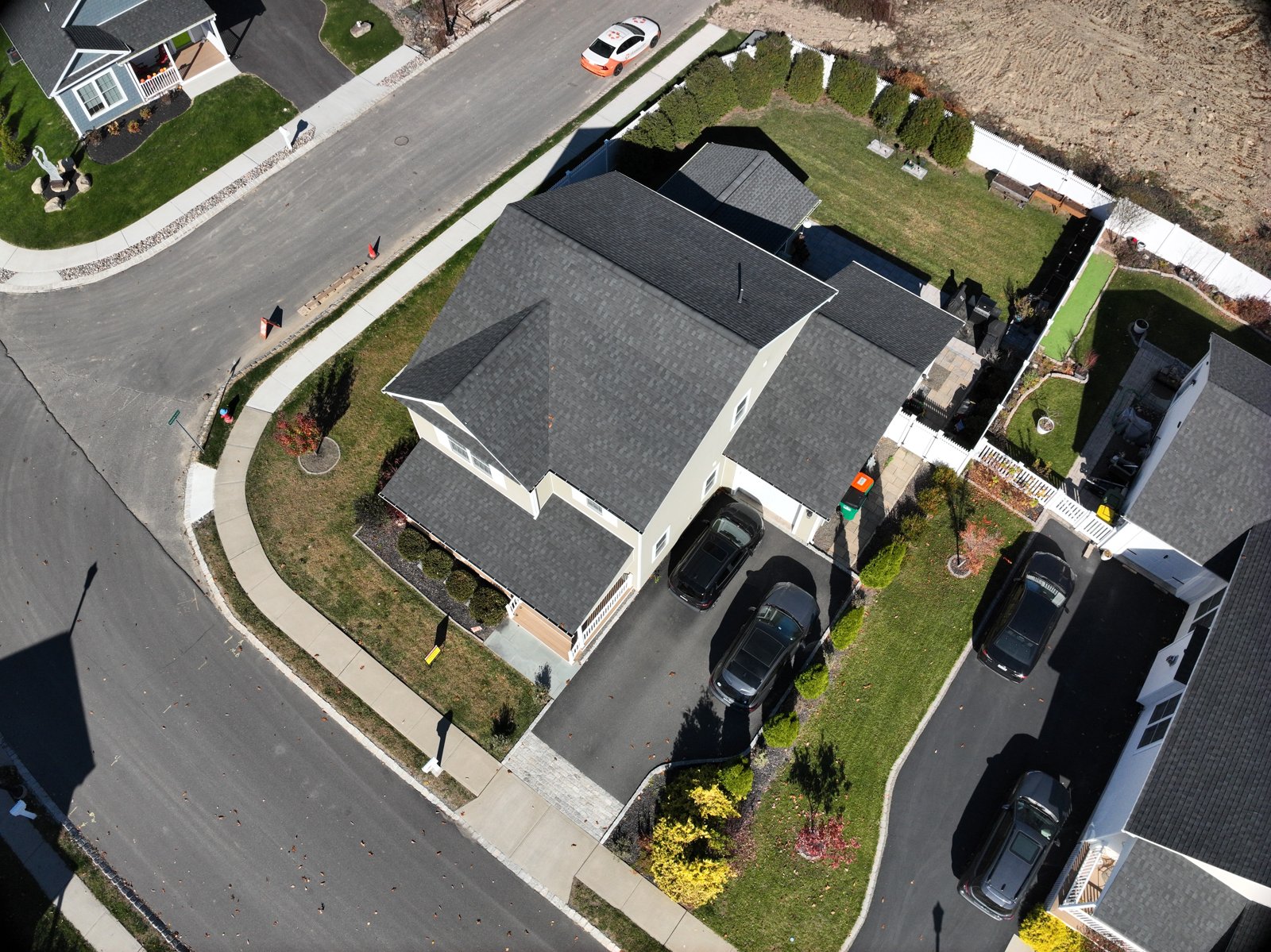
The eight climbs, evenly spaced — one at each face, one at each corner, about every 45° — worked around the house in a single lap.
The cascades are what make the house itself solid. Each climb sweeps a face from a person's eye level to drone height, and together the eight columns wrap the home in viewpoints from every side and every elevation — the orbits above tie them all into the neighborhood.